Blogroll

News Update :
Showing posts with label facebook tips. Show all posts

Saturday, 13 October 2012

Call Facebook Members FB to FB Via Skype


Facebook-Via-Skyp3

As we Know that  Facebook  Has a Big Social Site And 6 Millions people join it. Now I Am Going to my next Article that is How to Video Call with Your Facebook Friends Via Skype. i found an excellent solution for these thing now i am going to tell you . Skype is helping alot. As we know that skype has a video chat program. Its one of the most popular program to video chat with yours friends but there is problem that how to make a video call on facebook. So Skype decided to Surprised us with a very perfectful application. They Announced a deeper integration with facebook. And now your can do fb to fb Call via skyp3 Mac 5.4 beta  And Skype 5.7 Beta for windows . This integration began with version 5.0 .

All People need Skype Connect with your facebook account. One you Have Login Facebook Via Skype , then you have to Approve the facebook application , Choose your facebook friend and the video call button in Skype, your friend will be accept the Call and your can start a Video chat with your facebook friends : ) 

Create Your own Awesome Facebook Page Like Box

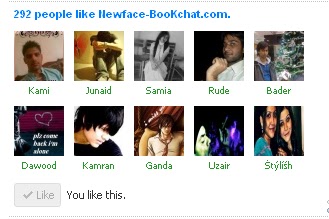
I am back with my new post that is how to Create Own Facebook like Box. Now the Question is that how to add ohh! dont think so much here's the trick with my new tutorial which i will described you in this post. In this tutorial you can make your own Awesome Css facebook like box widget for blogger. If You like above widget and want to add on your own blog. So Follow the simple Steps.

NEWFACEBOOKCHAT+LIKE+BOX


How to Add This Widget To Blogger?


  • First Go to Blogger >> Design >> Add a Gadget.
  • Then Choose HTML/Javascript.
  • And Simply Copy and paste Css code below.
<script type="text/javascript" src="http://static.ak.connect.facebook.com/js/api_lib/v0.4/FeatureLoader.js.php/en_US"></script>
<script type="text/javascript">FB.init("");</script>
<fb:fan profile_id="Like Page Id " stream="0" connections="10" width="300px" height="200px" header="0" logobar="0"   css="https://gj37765.googlecode.com/svn/trunk/fb[www.gj37765.blogspot.com].css"></fb:fan>


  • Add Page id to Css Codes. 
  • If You want to Change Connections (No. of Profiles , faces ,pics )
  • If You want to change widht and height Dimensions.
Make These Type of Changes 
  • Replace with the 12 - 15 digit no. id of your fb page. You can easily find this ID inside yours Like page URL . For example The URL OF MY FB PAGE LIKE is,
https://www.facebook.com/pages/newfaceboookchat/236204729747793

If Your facebook like page is setting up on username Go here to Find your fb page id

If You like this Post So Share it with Yours Friends - This Info Helps yours partners (friends).

Find Yours Facebook Friend ID Using Our Web


Facebook is using Millions of peoples. Facebook giving us so many features about chattings , Applications , Video Call , Audio Call and much more with facebook application. One of my friend ask me that how to find my friend profile id on facebook i think that i can write this info on my web. So Here's the Solution.
facebook+logo


  • Simply Replace newfaceboookchat With Yours Friends Username Using Our Web Generator.
  • And Finally Click on Get id Button.


  • Thats it :

How to Add Share Box to Blog in 5 easy Steps


People loved to shared many things most of the people like this posting of the author and share it with many friends. Now Here's is a tutorial on how to add a share box including Twitter, Fb, Google Buzz and Stumble Upon to your blogger blog. Follow the easy steps below given.

share+box
  • Log in to Blogger Account. Click design >> Then click edit HTML.
  • Tick 'Expand Widget Templates' .
  • Click Ctrl+F and then paste this code .
<div class="post-header-line-1">
  • Lastly , copy this code just below it.
Note : If your's blog template doesn't have <div class="post-header-line-1">, scroll down until you found <data:post.body/> and just paste above it .
<b:if cond='data:blog.pageType == &quot;item&quot;'>

<style type='text/css'>.multisharebox {background: none repeat scroll 0 0 #EFEFEF;float: right;margin: 5px 0px 3px 10px;padding: 0 5px 0;text-shadow: 0 1px 0 #FFFFFF;width: 260px;border:4px solid #d8dfea;}.fb-like-boxtop {background: none repeat scroll 0 0 #EDEFF4;border: 1px solid #D8DFEA;color: #000000;float: right;font-size: 11px;margin: 0 0;padding: 5px 10px;text-align: left;width: 230px;}.fb-like-boxtop a {color: #000000;text-decoration:none;}.fb-like-boxtop a:hover {color: #000000;text-decoration:underline;}.fb-like-box {background: none repeat scroll 0 0 #EDEFF4;border: 1px solid #D8DFEA;color: #000000;float: right;font-size: 11px;height: 60px;margin: 5px 0;overflow: hidden;padding: 5px 10px;text-align: left;width: 230px;}</style>

<div class='multisharebox'><table><tr><td><table><tr><td><a class='twitter-share-button' data-count='vertical' data-lang='en' data-related='' data-via='' expr:data-text='data:post.title' expr:data-url='data:post.url' href='http://twitter.com/share' rel='nofollow'/><b:if cond='data:post.isFirstPost'><script src='http://platform.twitter.com/widgets.js' type='text/javascript'></script></b:if></td><td><script expr:src='&quot;http://www.stumbleupon.com/hostedbadge.php?s=5&amp;r=&quot; + data:post.url'/></td><td><a class='google-buzz-button' data-button-style='normal-count' data-locale='en_IN' expr:data-url='data:post.url' href='http://www.google.com/buzz/post' rel='nofollow' title='Post on Google Buzz'/><script src='http://www.google.com/buzz/api/button.js' type='text/javascript'/></td><td><a expr:share_url='data:post.url' name='fb_share' rel='nofollow' type='box_count'/><script src='http://static.ak.fbcdn.net/connect.php/js/FB.Share' type='text/javascript'/></td></tr></table></td></tr><tr><td><div class='fb-like-boxtop'><a expr:href='data:post.sharePostUrl + &quot;&amp;target=blog&quot;' expr:onclick='&quot;window.open(this.href, \&quot;_blank\&quot;, \&quot;height=270,width=475\&quot;); return false;&quot;' expr:title='data:top.blogThisMsg' target='_blank'>BlogThis!</a> | <a expr:href='data:post.sharePostUrl + &quot;&amp;target=email&quot;' expr:title='data:top.emailThisMsg' target='_blank'>Email This!</a> | <a href='javascript:window.print();'>Print This!</a> | <b:if cond='data:post.allowComments'><a expr:href='data:post.addCommentUrl' expr:onclick='data:post.addCommentOnclick'><b:if cond='data:post.numComments == 0'>No comments</b:if><b:if cond='data:post.numComments == 1'>1 comment</b:if><b:if cond='data:post.numComments &gt;= 2'><data:post.numComments/> comments</b:if></a></b:if></div></td></tr><tr><td><div class='fb-like-box'>Do you like this post?<iframe allowTransparency='true' expr:src='&quot;http://www.facebook.com/plugins/like.php?href=&quot; + data:post.url + &quot;&amp;layout=standard&amp;show_faces=false&amp;width=230&amp;action=like&amp;font=arial&amp;colorscheme=light&quot;' frameborder='0' scrolling='no' style='border:none; overflow:hidden; width:230px; height:40px;'/></div></td></tr></table></div>

</b:if> 
  • Save Template. Thats it ...

Colour a text in Facebook Chat easily

Now a days Facebook new applications is coming.To makes the holidays more interesting , an app recently poped up that made possible the usage of color's in Facebook chat. Facebook has restrictions regarding fonts and theirs colors , for several overloading reasons, they want it to be as fast as possible, to avoid delays for the sake of efficiency and speeds. Colors influence the mood of the humans, and Facebook sometimes gets annoying with its ordinary colors. This application will kill the monotony and give you an extra pleasure and excitement on your Fb chat and above all it using this application it will make you looks cool with your chat buddy's.
color+chat


Now In the steps below you will learn how to write in colors on facebook chat , using some code that generates this web site(makemecool.me) .After theopening this website ,simply write the words you want to send colored to someone you are chatting in Facebook, and just click the “Make me Cool” button or hit enter on your keyboard. Below you will see some numbers ( the code ) , copy those numbers and then paste on facebook chat , afterward send those numbers (the code) to the person that you are chating and you will see the color effects.


Copy+the+Code
Hope This post is useful for all !

Publish Easily Blog Post Auto on Google Plus+ And Facebook

Mostly the People cares about the time , So today's the topic is so excited for Bloggers , The topic is on about Publish Easily Blog Post on Google Plus and Facebook , theres is no need to waste your time by publishing your contents to Facebook fan page and Google profile individually. Automate the process by following the guidelines.

So , If you are a blogger you know the value of social networking these days??? Everyone is focusing on social popularity as this is the only way to defeat the risk!!

The risk of depending only on Google. Or you can say only on organic searches.


googleplus+optimize


Increasing social popularity is a very good way to minimize this risk now a days. As you were grow big you get visitors from your social profiles and fan pages. This has many big advantages too. These are not just ordinary visitors.

1.       They are influence by you.
2.       They have to subscribed to you.
3.       They are targeted to your niche.
4.       They will have more friends targeted to your niche.
5.       Word of mouth promotion is the best in the world.

I assume these 5 points are worthy enough of having a social profiles. If you were dont have a fan page make it as soon as possible. I will try to write a guide on how to make a good fan page.

Ok the next problem that occurs is that you need to update your profile regularly and this gets hard when you are not used to it. So there is a solution now for it by Haris Hanif.

Automatic Facebook fan page's update:

To update your Facebook fan page as soon as you publish any post on your blogs you need to do the following:

  • Go to http://www.facebook.com/RSS.Graffiti
  • Like the page and go to app
  • When this post was published version 2.0 was in beta.
  • I tried it as beta. Allow this to access your account.
  • It will open a new page where you can add new campaigns.
  • Click to add new,,
  • Add your page and author of the page.
  • Add new source and paste your RSS feed URL here. For example my URL is this:
  • http://feeds.feedburner.com/blogspot/Pgbj
  • Select your update frequency and other things.
  • You’are done.
  • Whenever you will post new content it will appear on your Facebook fan page.


Automatically publish content to your Google+ profile :


  • Go to blogger account..
  • Head over to setting and post and comments
googleplus+setting

  • See “share on Google” and select yes for it.

googleplus+share


Whenever you will publish a new post it will ask you to share or not just press share and you are done.

How To View Full-Screen Mode Facebook Photos

You already know about facebook a Strong Social network now a days everyone is using.Since in last month Facebook came up with Revamped Photo Veiwers which completely resembled with Google+ photo viewer. In Revamped Photo Viewer, all comments, likes and shares were in the right side bar and photo was aligned at Left side.Now, Facebook has rolled out new Photo Viewer which allows users to view Facebook Photos in Full-screen with high resolution.

There is a amazingly black background to view photos in Full screen mode and it enlarges the photo 4 times than its normal size. With the enlargement in the photo size the quality of the photo doesn’t decrease but it displays the picture in the maximum possible high resolutions. This new photo viewer will be very exciting for users who have have large screen monitors.
fbfullview


This New Full-Screen Photo Viewer works only on latest version of Mozilla Firefox and Google Chrome web browsers

How To View Facebook Full-Screen Mode Photos :

There are the two several possible and simple ways to view Facebook photos in full-screen mode.

Method 1:
Click on the photo's and hover the mouse on it... Along with theforward and backward arrows you will see a new arrow at the right corner of the photo's. Just click on it and it will open in new Full-Screen mode.

Method 2:
Right click on the Options button at the bottom of the photo and choose Full-Screen option to view Facebook photos in Full--Screen...

Use Esc key and click on  cross button to exit from the Full-Screen modes.

You can be also open comments side bar by clicking on the comments and likes options on the bottom right corner on the windows. In this photo viewer you can do all such things that you were able to do in normal photo viewer like comments, share, like, tag friends, download photos and even you can report the photos. There are also forward and backward arrows to navigate the photos. Like this Post go to Comments .. We Want to Serve you more ..

Facebook Now Syncs Email Addresses and Timeline

Facebook a World Wide Social Network . Facebook Made in 2004. Now Facebook has introduced a new initiative that automatically syncs yours Timeline address and your Facebook email address.

fb+logo+..
The programs, which will be the rolling out over the next few weeks, its means that if your Timeline address is facebook.com/janesmith.19, then your Facebook email address will be janesmith.19@facebook.com. Anyone who already selected an email address will be unaffected.

Facebook reps could not be reached for  the comment on the move. The impetus for greater email and profile integration could be driven by Google+, which is heavily interlaced with Gmail. Facebook launched vanity URLs for users in 2009, but there was no email component at the time. In 2010, Facebook gave users @facebook email addresses.

The latest change are the seems to be aimed at users who didn’t change to a vanity URL, which automatically netted a synchronized email address.

Facebook has been trying to get users to employ its email more for some time. Like Google at the time, Facebook was convienced that users were be ready for the next evolution of email. Facebook’s 2010 upgrade sought to lose trappings like subject lines, ccs and bccs. Facebook didn’t even call its upgrade email. The company instead dubbed it “messaging.” So, However, the latest announcement doesn’t use that term and dubs Facebook’s messaging system “email.”

Thats perhaps, is a reflection of email continued seemingly intractable popularity. A recent survey by Ipsos, for instance, revealed that 85% of Internet users around the world use email while 62% use it for social networkings.

3 Important Tips for Effective Social Media Contests


media+icon
Today i am going to tell you about the Web marketer "Justin Palmer"
g has run dozens of social media contests for his clients, and gaining “likes” and “followers” is something he does with relative ease. So, for any of the company that wants to run a social media contest to gain new business, Justin has the following advice given below :

1. Have a Goal :

As is the case with nearly of any marketing effort, social media contests must have a clearly defined goal in order to generate any value at all. Most marketers think they know their goals, and it usually follows the formula of, “I want to raise my followers on social by X amounts.” So, Unfortunately, this approach is fundamentally wrong, and few companies seem to be know it.
While it is nice to have a large number of followers on various social channels, it should be almost never be the end goal of a contest. Companies need to delve a layer deeper. As Justin said, followers gained from contests alone are unlikely to have much interest in the business beyond the prize.

So, what do you will ultimately want out of your contests? In most cases the answer is money. That’s why you need to measure your actual ROI in terms of new leads or conversions from the contest. Other goals could include, conducting research, or revealing a new consumer base. The point is to determine what you ultimately want to achieve through your social efforts and measure the direct impact of the contest.

Bullet Point Branding CEO, Bryan Fulton, had a lot of followers on social media, but needed to find out more about his niche customers. In particular, he wanted information on potential leads in the cosmetic field. He offered a free lipstick pen to the 500th follower of a contest. Based on the specific nature of the prize, he was able to determine which clients were interested in the product. He had a clear goal and was ultimately able to meet it.

2. Develop a Target :

Having a defined target is ust as the important as your goal. Many social contests cast a wide net hoping to draw in as many people as possible. This is counterproductive because it forces the business to cater to an audience that either only cares about the prize or doesn’t really care at all. It is more effective to align a target audience to a specific goals and market the contest to them.
For Volusion — an ecommerce platforms — most successful contests were the result of the specific nature of Volusion’s targeting efforts. In this case, the audience was “mompreneurs.” Volusion knew that this was a growing ecommerce audience, and that many of these are the women would appreciate sharing their stories. Part of the contest involved having the women describe themselves and the reason they started their business. Many moms participated in the project just to tell their stories, and one participant even described her entry as “therapeutic.” Because of the Volusion’s successful targeting strategy, they tapped into a rapidly growing market, and gained many faithful clients.

3. Pick the Right Prize :

Most of the contests feature a prize that can best be described as shiny. Think the latest tablets, vacations, or just good old-fashioned money. Marketers assume that a lot of people will be drawn to this, and they are correct. The issue is those people for just want a shiny prize. In general, there are three types of prizes that companies offer in contests: third-party prizes, a product from the business running the contest, or intangibles.
Of the three categories, third-party prizes are the most common, and the most misused. Stephanie Cicarelli, co-founder and chief marketing officer of Voices.com, ran a contest in January 2011 that featured an iPad as the main prize. Normally this would be a dangerous. However, the goal of the contest was to get photographs of singers in their studios or recording environment submitted to Voices.com. The mass appeal of the iPad was reason enough for many contestants to submit photos where they otherwise might have preferred privacy. In this case the appeal of the third-party prize was leveraged for a direct, tangible win.

Prizes that come from the business itself can be just as desirable as a third party product, with the added benefit of less up-front expense and the creation of brand advocates. Also, since the prize comes from the business running the contest, some targeting be already built-in. Powderhorn Mountain Resort featured a contest that asked visitors to upload photos of themselves enjoying the resort for a chance to win a free season pass. This was effective because their target audience already loved the business, and it encouraged winners to return again.

The final will prize category, the intangible prize, requires some creativity to use effectively yet can produce a massive ROI. SpeakSocial a marketing firm that focuses on the innovative use of social media, ran a contest to drum up support for a new sushi restaurant, Roll-On Sushi Diner. The contest allowed participants to submit ideas for the name of a roll that would be served at the restaurants. The winner would have to both the name of their roll and their real name featured on the restaurant menu. The prize cost absolutely nothing, yet opening days was an enormous success.

Facebook Blacklisted Bad URLs, Gives Free Trial of AntiVirus Software


facebooklargethumb
Everyone know about Facebook. Everyone is using Facebook For Chatting and bussiness managment. Facebook is making sure its 900 million users are protected from malicious URLs  soin addition to spam, phishing and viruses. The company will announced Wednesday that it’s partnering with Microsoft, McAfee, TrendMicro, Sophos, and Symantec to offer its growing user-base more protection.

“Our URL blacklist system, which scans to trillions of clicks per day, will now incorporate the malicious URL databases from these security companies to augment our existing level of protection,” the blog post notes. “So whenever you click a link on our sites, youcan benefit not just from Facebook’s existing protections, but the ongoing vigilance of the world’s leading corporations involved in computer security.”

Taking security measures a step further, Facebook also be announced the AV Marketplace. Users can be download a six-month license for a full version of the anti-virus software from one of Facebook’s new partners, free of charge. Facebook reminds users to “like” its Security Page to the receive regular updates from these partners about how to keep data safe from online predators.

“We have had a long standing partnership with the McAfee and many others in the security community, and the AV Marketplace will offer users more choice and increase the scope of our partnerships,” Fred Wolens, a Facebook spokesperson, wrote in an email to the NEWFBCHAT. “We believe we have a very unique opportunity to provide our users with the software and technology to help keep their data safe both on and off of Facebook.”

Facebook the privacy and security has always been an issue the site has a aimed to address, as millions of people put detailed personal information on the site. Earlier this month it was a reported that Homeland Security searches the social network for the keywords that might lead them to breaking crime news. Scammers also use Facebook for ploys such as fake sick baby scams.

What do you think about this latest announcement??? Sound off in the comments... :P

Facebook Has 901 Million Users Now !

Facebook Traffic is increase day by day beacause of thier socials specification. Facebook is made with new idear. Facebook disclosed on Monday that it has 901 million users, making it likely that it will pass the 1 billion marks well before to the end of the year.

The company, which dropped the stat in its amended S-1 filing, also notes that its network receives 3.2 billion comments per day and a 300 million new photos daily. The site also claims 125 billion friendships. Of the 901 million figure, 526 million were described as the daily active users in March. Some 488 million people also used Facebook mobile products that month, according to the filing.
facebookthumb

When FB filed its IPO paperwork with the SEC in February, the network tallied 845 million users. Back in the January, Gregory Lyons, a senior analyst at iCrossing, estimated that FB would hit 1 billion users by August, a rate of growth that appears plausible based on the latest numbers.

Even before the Monday’s latest numbers dropped, FB was by far the largest social network in the world. Twitter, which passed 500 million users in February, is number two on the list — although Twitter says that only 140 million of those accounts are the active.

How big will Facebook get, and how fast??? Let us know your thoughts in the comments... So go to comments ... And Share Yours Opinions ..

Use Social Media Marketing To Grow Your Business

While we are going to new post that is use social media marketing to grow up yours bussiness in the field of bloggers. While this post speaks to a small business owners & yo solo entrepreneurs, its strategies can easily be adopted for larger businesses nonprofits & the other groups.

social-media-marketing
@Need for Training :

Start creating yours plan by to asking yourself how much time & money you can reasonably devote to social media marketing each days. How much time do you need to spend??? It depends on three simple ideas:

  • The size of yours business growing.
  • The size of yours budgets
  • The size of yours goals acheives.

If you are solo entrepreneur who just wants to do expand his/her reach, you may not need to spend more than 15 minutes a day on social media marketing. If you are a business like XYZ Company, with dozens of brands, you’re going to an entire team of social media marketers in diff. place.

Also ask yourself how much social media knowledge you are bringing to the table. Be sure to factor in time and associated costs for to necessary training. This can be as simple as downloading a few free eBooks, or as complicated as taking a week-long social media workshops.

@Mediums and Monitoring Tools :


Most of the social media users can be found on Facebook, Twitter and LinkedIn. You may want to choose one social media site to start, and then move into the others when you feel more comfortable, or you may want to create marketing plans for all three, plus a few niche sites. Whatever you want to choose, just make sure your social media marketing plan is sustainable over the long haul.

Next, figures out how you are going to the monitor each social media account. Will you set your Facebook profile to email you whenever someone posts on yours page, or will you check manually? If you check manually, how often?

For Twitter, you can set your phone or to social media browser to alert you whenever someone sends a reply or direct messages. You should also a consider setting up a Google Alert of your business name to monitor any mentions happening outside of yours current account.

@Social Media Marketing Techniques :

  • Learn to how to write headlines that makes people want to read the rest of your article.
  • Place a Retweet button on yours blog at the top of the posts (WordPress plugins make this really easy to do).
  • Place a Simple Facebook share button at the top of all posts.
  • Include a Facebook ‘like box’ near the top right side of the blogs so people can ‘like’ your Facebook page even while they are on yours blog.
  • Place a LinkedIn share button on yours blog..
  • Comment regularly on other bloggers in your niche.
  • As you grow yours traffic and followers, highlight this on yours blog and demonstrate some ‘social proof’. This could even include the no. of Twitter followers you have or awards you have won or your website grade or even your Twitter grades.
  • Make it easy for the people to subscribe via emails (email marketing may be perceived as old school but it works big time!!!).
Hope You like this post Share it with yours cute friends. If you any problem facing discuss in comments.

 
Design Template by panjz-online | Support by creating website | Powered by Blogger